
Coolle Office Suite for Windows 10(2)
 Software Hub
2022-02-27
0 reviews
Software Hub
2022-02-27
0 reviews
Inserting a Graphic From the Text documents
1. Click in the document where you want to insert the graphic.
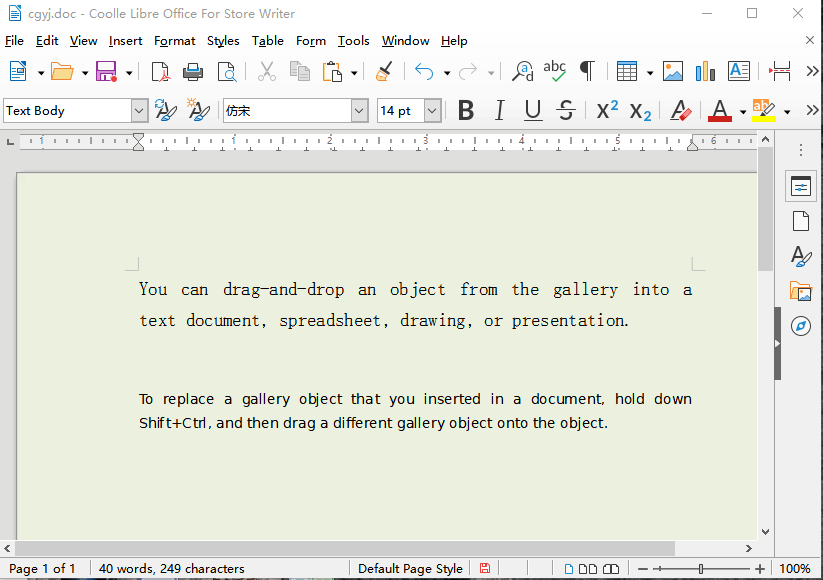
2. Choose Insert - Image - From File.
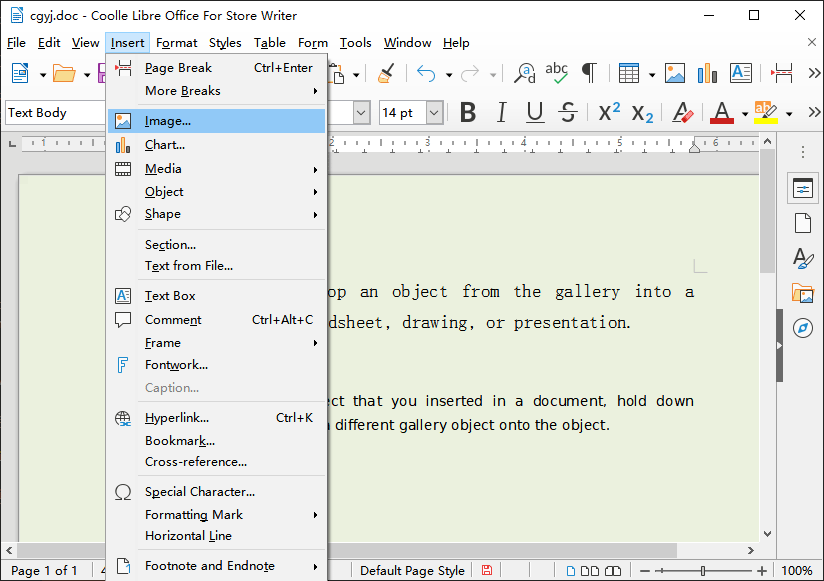
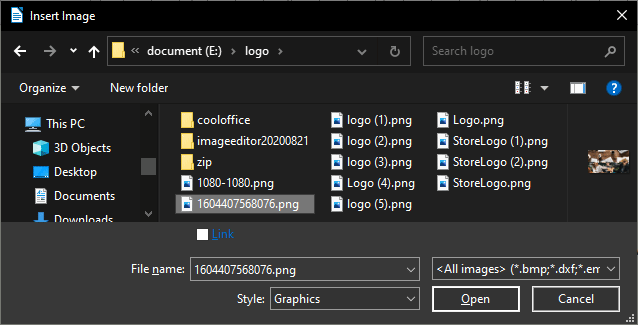
3. Locate the graphic file that you want to insert, and then click Open.
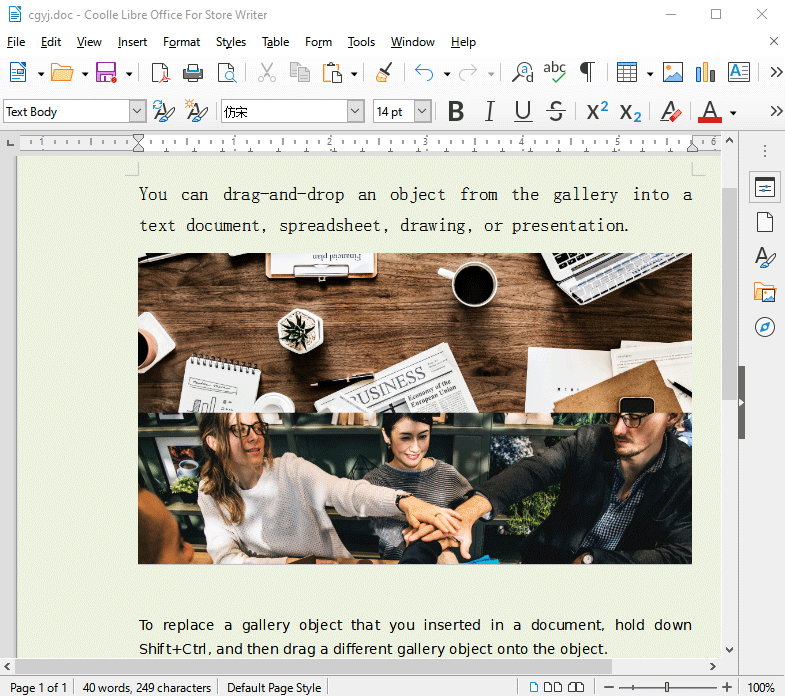
By default, the inserted graphic is centered above the paragraph that you clicked in.
- Next Post:Sfree Ofice
- Previous Post:PDF Converter Pro





- Support us by Donate
-
Inorder to keep our app free to all the uses, We need the support to continue work. And you will be appreciated.


- Search
-
- Support Us by Using Free Products
- Featured Products
- Recommend Articles

-
- The newest
- Hot
- Random











- Random tag
- Latest reviews
-
- Free PDF Converter 's comments:
"I just put together a full week of scroll-stopping branded social media content f"
- CoolleOffice中文版完整教程 's comments:
"Hi, I hope youre doing well! I’m reaching out to see if you’d be open to a li"
- X Live Wallpaper 's comments:
"THE FASTEST WAY TO CREATE, PUBLISH, PROFIT FROM EBOOKS… NO WRITING REQUIRED PRO"
- X Live Wallpaper 's comments:
"THE FASTEST WAY TO CREATE, PUBLISH, PROFIT FROM EBOOKS… NO WRITING REQUIRED htt"
- Full Tutorials for Coolle Offic 's comments:
- Friendly link